Skip to content
    • About
    • Contact

The Secure Byte

  • Cyber Security Audit Checklist for Nonprofits

    June 28th, 2025

    Nonprofits hold valuable information, from donor data to financial records. Cybersecurity is essential for protecting this information. Regular audits help nonprofits identify risks and strengthen their defenses. Here is a comprehensive checklist for conducting a cybersecurity audit tailored for nonprofit organizations.

    1. Define Audit Scope

    Start by defining what areas the audit will cover. Determine the systems, data, and processes you want to include. This could range from data storage practices to network security.

    Example:

    • Network infrastructure
    • Software applications
    • Employee training programs

    2. Assess Risks

    Identify the risks that your organization faces. Look for vulnerabilities in your current systems and processes. Consider both internal threats, like employee error, and external threats, like hackers.

    Steps:

    • Identify sensitive data types
    • List potential threats (e.g., phishing, malware)
    • Analyze past incidents

    3. Inventory Assets

    Create a list of all digital assets. This includes hardware, software, and data storage systems. Keeping an updated inventory allows you to manage and protect your assets effectively.

    Include:

    • Computers and servers
    • Applications and databases
    • Access credentials

    4. Review Policies and Procedures

    Evaluate your organization’s existing cybersecurity policies. Ensure they align with industry standards and legal requirements. Policies should cover password management, data protection, and incident response.

    Checkpoints:

    • Are policies documented?
    • Do they include clear procedures?
    • Are they up to date?

    5. Evaluate Security Measures

    Analyze the cybersecurity technologies and practices currently in place. Assess firewall settings, antivirus software, and intrusion detection systems.

    Consider:

    • Encryption methods for sensitive data
    • Access controls and user permissions
    • Regular security updates and patches

    6. Conduct Employee Training

    Employee awareness is crucial in cybersecurity. Assess current training programs and identify gaps. Provide regular training sessions to keep staff informed about potential threats.

    Training Topics:

    • Recognizing phishing scams
    • Proper handling of sensitive data
    • Reporting suspicious activities

    7. Test Incident Response Plan

    Every nonprofit should have an incident response plan. Test this plan to ensure your team knows what to do during a security breach. Simulations can help practice response strategies.

    Key Elements:

    • Define roles during an incident
    • Outline communication strategies
    • Include steps for data recovery

    8. Analyze Third-Party Risks

    Many nonprofits work with third-party vendors who may access sensitive data. Assess the cybersecurity practices of these vendors. Ensure they adhere to similar standards as your organization.

    Areas to Examine:

    • Vendor security policies
    • Data sharing agreements
    • Compliance with regulations

    9. Monitor Compliance

    Ensure compliance with relevant laws and regulations. This may include data protection laws like GDPR or HIPAA. Regular audits should track compliance efforts and address gaps in adherence.

    Compliance Checklist:

    • Are there requirements based on your location?
    • Does your organization need to report breaches?
    • Are there penalties for non-compliance?

    10. Review Backup and Recovery Procedures

    Backup and recovery procedures are vital. Assess how data is backed up and how quickly it can be restored. Ensure backups are stored securely and tested regularly.

    Backup Considerations:

    • Frequency of backups
    • Storage location (cloud or physical)
    • Recovery time objectives

    11. Document Findings

    After completing the audit, document all findings. Prepare a report that highlights vulnerabilities, risks, and recommendations for improvement. Share this report with relevant stakeholders.

    Important Sections:

    • Summary of findings
    • List of vulnerabilities
    • Suggestions for improvements

    12. Plan for Continuous Improvement

    Cybersecurity is not a one-time task. Create a plan for continuous monitoring and improvement. Regular audits and updates will help maintain security.

    Steps:

    • Schedule future audits
    • Track implementation of recommendations
    • Stay updated on cybersecurity trends

    Conclusion

    For nonprofits, maintaining cybersecurity is crucial for protecting sensitive information. Following this checklist can help you systematically assess and improve your organization’s cybersecurity measures. Remember, cybersecurity is an ongoing effort. Regular audits and updates strengthen your defenses against potential threats.

    By implementing these practices, nonprofits can not only protect themselves but also build trust with their donors and stakeholders. A proactive approach to cybersecurity not only safeguards the organization but fosters a culture of security awareness among employees.

    Cyber Security

    Pros and Cons

    Pros

    • Protects sensitive information
    • Builds trust with stakeholders
    • Reduces risk of data breaches
    • Compliance with regulations
    • Enhances organizational resilience

    Cons

    • Requires time and resources
    • Can be complex for small organizations
    • May involve additional costs for technology and training
    • Needs ongoing management and updates

    Real-World Example

    A small nonprofit organization faced a data breach that exposed sensitive donor information. They did not have a formal cybersecurity audit in place. After the breach, they implemented a cybersecurity audit checklist. They identified vulnerabilities, improved employee training, and updated their incident response plan. As a result, the organization better protected its data and regained donor trust.

    By following the steps outlined in this checklist, nonprofits can enhance their cybersecurity practices and protect vital information. Adopting these recommendations demonstrates a commitment to security and transparency.

  • Quick ISO 27001 Requirements Checklist for New Companies

    June 26th, 2025

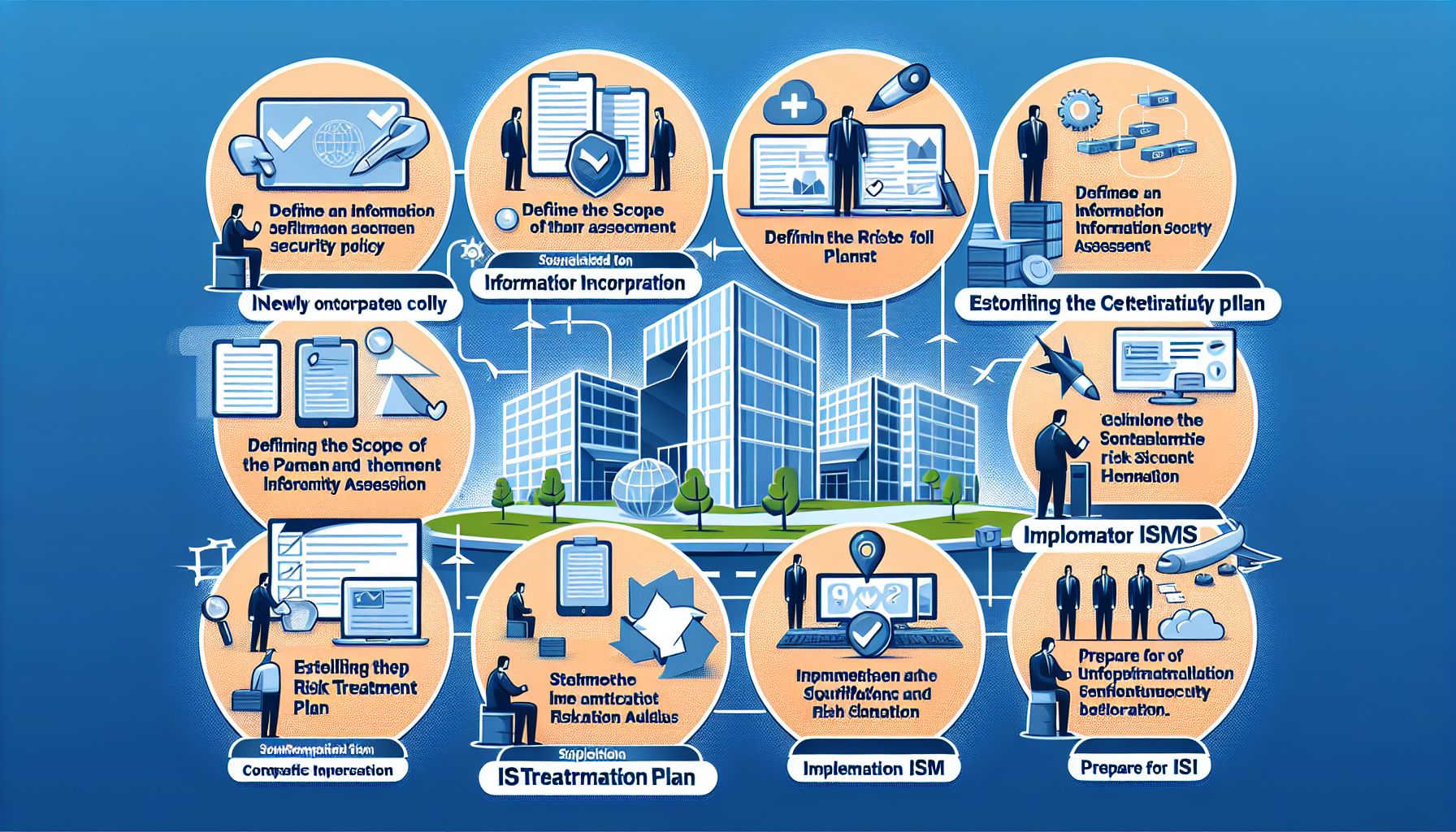
    Establishing an Information Security Management System (ISMS) under ISO 27001 can seem overwhelming for new companies. This checklist simplifies the requirements and provides clear steps to help start the process.

    Overview of ISO 27001

    ISO 27001 is an international standard that outlines how to manage information security. It provides a framework to protect sensitive data and support risk management. Companies that comply with ISO 27001 gain trust from customers and partners.

    Understanding the ISMS

    An ISMS is a systematic approach to managing sensitive company information. It combines people, processes, and IT systems to protect and secure information. An effective ISMS helps identify, manage, and mitigate security risks.

    Information Security Management

    Quick ISO 27001 Checklist

    Use the following checklist to help with ISO 27001 compliance:

    1. Define the Scope of the ISMS

    • Identify what information the ISMS will cover.
    • Determine the boundaries and applicability of your ISMS.

    2. Conduct a Risk Assessment

    • Identify potential security risks.
    • Assess the impact and likelihood of each risk.
    • Document the risk assessment results.

    3. Establish Information Security Policies

    • Create a clear information security policy.
    • Ensure the policy supports business objectives.
    • Get approval from management.

    4. Identify and Address Security Controls

    • Determine the security controls needed to address identified risks.
    • Implement controls based on the risk assessment.
    • Document how each control works.

    5. Set Objectives for the ISMS

    • Define measurable objectives for information security.
    • Ensure objectives are aligned with business goals.

    6. Assign Roles and Responsibilities

    • Designate a management representative for the ISMS.
    • Clearly define the roles and responsibilities of all staff.

    7. Train Employees

    • Provide training on information security policies and procedures.
    • Regularly update training materials to keep staff informed.

    8. Document Processes and Procedures

    • Create and maintain documentation for the ISMS.
    • Ensure documentation is accessible and up to date.

    9. Monitor and Measure Performance

    • Regularly monitor the effectiveness of the ISMS.
    • Use tools and metrics to measure performance.
    • Adjust processes based on findings.

    10. Conduct Internal Audits

    • Schedule regular internal audits to check compliance with ISO 27001.
    • Follow up on audit findings and take corrective actions.

    11. Manage Non-conformities and Corrective Actions

    • Identify and document non-conformities.
    • Develop corrective action plans for each non-conformity.
    • Monitor the effectiveness of corrective actions.

    12. Review and Improve the ISMS

    • Conduct regular management reviews of the ISMS.
    • Identify areas for improvement and implement changes.
    • Stay informed about changes in laws and regulations affecting information security.

    Benefits of ISO 27001 Certification

    Achieving ISO 27001 certification provides numerous advantages:

    Trust and Credibility

    ISO 27001 certification enhances your company’s reputation. Customers and partners feel more secure when they know you follow international standards.

    Legal Compliance

    Companies often face legal and regulatory obligations regarding data protection. ISO 27001 helps you meet these requirements.

    Improved Risk Management

    Adopting an ISMS allows for better risk identification and mitigation. This proactive approach minimizes security incidents.

    Competitive Advantage

    Many businesses require ISO 27001 certification from their partners. Being certified can open doors to new opportunities.

    Employee Awareness

    Training employees on information security raises awareness. This reduces the likelihood of human error leading to security breaches.

    Challenges of Implementing ISO 27001

    While the benefits are clear, challenges may arise. Here are some common ones:

    Resource Intensive

    Establishing an ISMS requires time and resources. New companies must allocate sufficient personnel and financial resources.

    Resistance to Change

    Employees may resist new policies and procedures. Clear communication about the importance of security can help mitigate resistance.

    Continuous Improvement

    ISO 27001 requires ongoing commitment and improvement. This means companies must consistently monitor and update their ISMS.

    Examples of ISO 27001 Implementation

    Company A: Successful Implementation

    Company A, a small tech startup, opted for ISO 27001 certification early on. They defined their ISMS scope clearly, conducted thorough risk assessments, and established strong security policies. The result was increased customer trust and a 20% rise in business within the year.

    Company B: Facing Challenges

    Company B, an e-commerce platform, struggled with ISO 27001 implementation. They faced resource limitations and employee resistance. They resolved these issues by investing in consultant expertise and providing extensive employee training. After overcoming initial hurdles, they achieved certification and increased their client base significantly.

    Conclusion

    Implementing ISO 27001 is vital for new companies that handle sensitive data. Following this checklist helps structure the setup of an effective ISMS. With careful planning, training, and commitment to continuous improvement, businesses can enjoy the benefits of certification. This process ensures better security, compliance, and trust, paving the way for future growth.

    By taking proactive steps towards information security, companies can safeguard their operations and inspire confidence among stakeholders. Striving for ISO 27001 certification is a clear statement of a company’s dedication to maintaining data security and integrity.

  • Cybersecurity Planning for Small Business Resilience

    June 25th, 2025

    In today’s digital age, small businesses face many cybersecurity threats. A strong cybersecurity plan is essential. It helps protect sensitive data and ensures business continuity. This article explores effective cybersecurity planning for small business resilience.

    Understanding Cybersecurity Risks

    Small businesses often underestimate the value of their data. Cybercriminals target these businesses because they usually lack extensive security measures. Common risks include:

    • Phishing Attacks: Cybercriminals trick employees into providing sensitive information.
    • Ransomware: Malicious software locks data until a payment is made.
    • Data Breaches: Unauthorized access to sensitive customer information can lead to major financial losses.

    Recognizing these risks is the first step in creating an effective cybersecurity plan.

    Developing a Cybersecurity Strategy

    Creating a cybersecurity strategy involves several key steps. Each step will help small businesses protect their operations from cyber threats.

    1. Assess Current Security Measures

    Start by evaluating existing security practices. Identify strengths and weaknesses. Consider:

    • What security software is in place?
    • Are employees trained in cybersecurity awareness?
    • What data and systems are most critical to operations?

    Conducting a thorough assessment will highlight areas that need improvement.

    2. Create a Cybersecurity Policy

    A clear cybersecurity policy sets expectations for employees. It defines acceptable use of company resources and outlines protocols for responding to incidents. Key elements of a policy should include:

    • Password management protocols
    • Guidelines for email security
    • Procedures for reporting suspicious activity

    An established policy helps employees understand their roles in protecting the business.

    3. Invest in Security Tools

    Investing in the right tools enhances security. Consider the following tools:

    • Antivirus Software: Protects against malware and viruses.
    • Firewalls: Block unauthorized access to networks.
    • Encryption: Secures sensitive data, making it unreadable to unauthorized users.

    These tools can significantly improve a business’s cybersecurity posture.

    4. Regularly Update Software

    Outdated software is a prime target for cybercriminals. Ensure all software, including operating systems and applications, is updated regularly. This practice addresses vulnerabilities and enhances security.

    5. Backup Data Regularly

    Regular data backups are crucial. They protect against data loss due to attacks like ransomware. Use both local and cloud-based solutions for backups. Ensure backups are kept secure and are tested periodically to verify their integrity.

    Employee Training and Awareness

    Employees are often the first line of defense against cyber threats. Regular training helps them recognize potential risks. Suggested training topics include:

    • Identifying phishing attempts
    • Safe browsing practices
    • Understanding the importance of strong passwords

    Create a culture of security within the organization. Encourage employees to speak up about security concerns.

    Incident Response Plan

    A well-defined incident response plan is essential. It outlines the steps to take in case of a cyber attack. Key components of an effective response plan include:

    • Identification: Detect the breach and assess its impact.
    • Containment: Prevent further damage by isolating affected systems.
    • Eradication: Remove the threat from the environment.
    • Recovery: Restore systems and operations to normal.
    • Communication: Inform stakeholders about the incident and response measures.

    Regularly review and test the plan to ensure effectiveness.

    Regulatory Compliance

    Small businesses often must comply with various data protection regulations. Understanding these requirements is crucial. Common regulations include:

    • General Data Protection Regulation (GDPR): Governs the collection and processing of personal information.
    • Health Insurance Portability and Accountability Act (HIPAA): Protects patient health information.

    Non-compliance can lead to hefty fines. Ensure that the cybersecurity plan aligns with relevant laws and regulations.

    Pros and Cons of Cybersecurity Planning

    Pros

    • Data Protection: Safeguards sensitive information from unauthorized access.
    • Business Continuity: Helps maintain operations during a cyber incident.
    • Customer Trust: Shows customers that the business values their security.

    Cons

    • Costs: Implementing strong security measures can require financial investment.
    • Time-Intensive: Developing and maintaining a cybersecurity strategy may divert time from other business activities.
    • Human Error: Even the best plans can falter due to mistakes made by employees.

    Balancing these pros and cons is vital for effective cybersecurity planning.

    Real-World Examples

    Several small businesses have successfully implemented cybersecurity plans. For instance, a local retail store invested in training and software to combat phishing attacks. After a successful training program, the store saw a significant drop in phishing incidents.

    Another company, a small accounting firm, regularly backed up its data. When it became a ransomware target, it restored its systems without paying the ransom. These examples illustrate the benefits of strong cybersecurity planning.

    Conclusion

    Cybersecurity planning is essential for small business resilience. By understanding risks, developing a strategy, and investing in the right tools, businesses can significantly protect their operations. Employee training, incident response, and compliance with regulations further enhance security. While the journey involves challenges, the rewards of well-planned cybersecurity are invaluable.

    Cybersecurity Planning

    By following these guidelines, small businesses can build a strong defense against cyber threats. Implementing these practices today will prepare them for the challenges of tomorrow.

  • Best Kandji Alternatives for Device Management

    June 23rd, 2025

    Device management software plays a crucial role in maintaining security and efficiency in organizations. Kandji is popular among users but not every organization may find it fitting their needs. This article explores the best alternatives to Kandji for device management. Each option will include pros and cons to help you make an informed decision.

    1. Jamf Pro

    Jamf Pro is a well-known Apple device management solution. It specializes in managing Apple devices effectively.

    Pros:

    • Apple Integration: Offers seamless support for Apple ecosystems.
    • User-Friendly Interface: Intuitive design makes it easy for IT teams to navigate.
    • Robust Features: Provides tools for deployment, security, and inventory management.

    Cons:

    • Cost: Pricing can be high, especially for smaller businesses.
    • Apple Focused: Limited support for non-Apple devices.

    2. Microsoft Endpoint Manager (Intune)

    Microsoft Endpoint Manager, which includes Intune, is a robust solution for device management. It allows management of devices across multiple platforms.

    Pros:

    • Cross-Platform Support: Supports Windows, macOS, iOS, and Android devices.
    • Integration with Microsoft Services: Works well with other Microsoft products like Azure and Office 365.
    • Scalability: Can grow with your organization’s needs.

    Cons:

    • Complex Setup: Initial setup can be time-consuming and challenging.
    • Learning Curve: Users may need training to fully utilize all features.

    3. VMware Workspace ONE

    VMware Workspace ONE combines device management and application management into one platform. It targets businesses looking for a complete solution.

    Pros:

    • Unified Management: Offers both device and application management for different operating systems.
    • Flexibility: Adapts to various business environments.
    • Strong Security Features: Provides comprehensive security measures, including access controls.

    Cons:

    • Cost: Can be expensive for small businesses.
    • Complexity: May require dedicated IT resources to manage effectively.

    4. MobileIron (now part of Ivanti)

    MobileIron is a solid choice for organizations focusing on mobile device management (MDM). It provides effective tools for controlling mobile devices.

    Pros:

    • Strong Security Features: Offers advanced security controls for mobile devices.
    • User-Focused Design: Prioritizes user experience in mobile management.
    • Integration with Other Tools: Easily integrates with other applications and services.

    Cons:

    • Limited Desktop Features: Less effective for managing desktop devices.
    • Pricing Model: Costs can increase significantly with added features.

    5. SimpleMDM

    SimpleMDM specializes in managing Apple devices. It is ideal for teams using iOS and macOS products.

    Pros:

    • Ease of Use: Simple setup and management interface.
    • Affordable Pricing: Offers competitive pricing, especially for small businesses.
    • Apple-Focused Features: Includes features specifically for Apple devices, such as app deployment and inventory tracking.

    Cons:

    • Limited Support for Other OS: Primarily designed for Apple devices.
    • Basic Reporting Features: Lacks advanced reporting capabilities.

    6. ManageEngine Mobile Device Manager Plus

    ManageEngine offers a wide range of IT management tools. Their Mobile Device Manager Plus is a versatile option for device management.

    Pros:

    • Comprehensive Features: Supports MDM, mobile application management, and security management.
    • Cost-Effective: Provides solid functionality at a reasonable price.
    • Cross-Platform Support: Works with Android, iOS, and Windows devices.

    Cons:

    • User Interface: The interface could be more modern and intuitive.
    • Implementation Time: May require time to set up all functionalities.

    7. IBM MaaS360

    IBM MaaS360 offers a cloud-based approach to device management. It is known for its enterprise-level security features.

    Pros:

    • Strong Security: Advanced threat management tools and compliance features.
    • Analytics Capabilities: Provides insights into device usage and security.
    • Multi-OS Support: Supports various operating systems, including Windows, macOS, iOS, and Android.

    Cons:

    • Complexity: Can be complex for smaller teams to implement.
    • Higher Cost: More expensive than some alternatives on this list.

    8. Citrix Endpoint Management

    Citrix Endpoint Management focuses on managing and securing devices within a corporate environment. It allows better control over apps and data.

    Pros:

    • Strong Security Measures: Focuses on protecting corporate data.
    • User Experience: Aids in providing a good user experience through a unified interface.
    • Flexible Deployment: Offers both on-premises and cloud deployment options.

    Cons:

    • Price: Can be costly compared to other solutions.
    • Overhead: Might require more resources to maintain than simpler platforms.

    9. Scalefusion

    Scalefusion is a straightforward device management solution that caters to both Android and iOS devices. It is ideal for companies needing a simple yet effective platform.

    Pros:

    • User-Friendly Interface: Quick to set up and easy to manage.
    • Cost-Effective: Offers competitive pricing plans for businesses of all sizes.
    • Kiosk Mode: Supports kiosk mode for dedicated devices.

    Cons:

    • Limited Advanced Features: May lack advanced functionalities found in larger solutions.
    • Focus on Mobile: More effective for mobile devices than for desktops.

    Conclusion

    Choosing the right device management tool depends on your specific needs. Each alternative to Kandji presents unique strengths and weaknesses. Consider your organization’s size, budget, and existing infrastructure when making a decision.

    Final Thoughts

    Explore these alternatives to find the one that aligns with your requirements. The right tool can streamline device management and enhance productivity across your organization. Make sure to evaluate each option against your specific needs to ensure an optimal fit.

  • Creating a Cyber Security Strategy for Small Companies

    June 22nd, 2025

    In today’s digital age, small companies face many risks to their data and systems. A strong cyber security strategy protects these assets and ensures business continuity. This article discusses how small companies can create an effective cyber security strategy.

    Understanding Cyber Security Risks

    Small companies often underestimate the importance of cyber security. They may believe they are too small to attract attention from cybercriminals. However, this belief is dangerous. Cyber attacks can happen to any company, regardless of size. Common threats include:

    • Phishing attacks: Criminals send fake emails to trick employees into revealing sensitive information.
    • Ransomware: Malware locks company data and demands payment for access.
    • Data breaches: Unsecured data can lead to unauthorized access and information theft.

    Understanding these risks is the first step in building a strategy to protect against them.

    Assessing Your Current Security Measures

    Before creating a strategy, evaluate your current security measures. This assessment should include:

    1. Reviewing existing policies: Look at your current cyber security policies and procedures. Check if they are up to date and effective.
    2. Identifying vulnerabilities: Conduct a vulnerability assessment to find weak points in your systems.
    3. Analyzing employee practices: Observe how employees handle data and use company devices. Identify risky behaviors.

    Collect data from this assessment to inform your strategy development.

    Setting Clear Goals

    Establish clear goals for your cyber security strategy. These goals should be specific, measurable, achievable, relevant, and time-bound (SMART). Examples of goals might include:

    • Reducing phishing response rates by 50% within six months.
    • Completing a full data encryption process by the end of the year.
    • Providing cyber security training for all employees within three months.

    Setting clear goals gives direction to your efforts and allows for easier tracking of progress.

    Developing Security Policies

    Create clear security policies that employees must follow. These policies should cover:

    • Password management: Require strong passwords and regular updates.
    • Data access control: Limit data access based on job roles.
    • Incident response: Outline steps to follow in case of a cyber incident.

    Communicate these policies effectively to all employees. Provide training to ensure everyone understands their role in maintaining security.

    Implementing Strong Technical Controls

    Technical controls serve as the foundation of your cyber security strategy. Consider implementing these essential measures:

    • Firewall: Protect your network from unauthorized access.
    • Antivirus software: Use reputable antivirus software to detect and remove malware.
    • Encryption: Encrypt sensitive data to protect it from unauthorized access.

    By applying these technical controls, you enhance the security of your systems and data.

    Training Employees

    Humans are often the weakest link in cyber security. Educate your employees to reduce risks. Provide training on:

    • Identifying phishing emails: Teach employees how to recognize and report suspicious messages.
    • Data protection best practices: Encourage secure handling of sensitive information.
    • Incident reporting: Ensure employees know how to report security incidents promptly.

    Regular training and updates keep your team informed about the latest threats and prevention methods.

    Regularly Updating Your Strategy

    Cyber threats change constantly. Regularly review and update your cyber security strategy. Schedule periodic assessments every six months or annually to:

    • Analyze the effectiveness of current controls.
    • Adjust policies based on new threats or vulnerabilities.
    • Ensure compliance with regulations.

    This proactive approach helps keep your business secure over time.

    Engaging with Cyber Security Experts

    Consider consulting with cyber security experts. These professionals bring specialized knowledge and can provide insights tailored to your business needs. Benefits of consulting include:

    • Risk assessment: Experts can conduct thorough risk assessments to identify weaknesses.
    • Implementation support: They can assist in deploying new security measures.
    • Ongoing updates: Experts can provide the latest information on industry standards and threats.

    Engaging with professionals can enhance the effectiveness of your strategy.

    Building a Response Plan

    Despite the best precautions, incidents can still occur. Prepare by developing an incident response plan. This plan should outline:

    1. Roles and responsibilities: Define who takes charge during a security incident.
    2. Communication strategy: Establish protocols for internal and external communication.
    3. Recovery steps: Detail how to restore systems and data after an incident.

    Having a clear response plan minimizes damage and downtime.

    Regularly Backing Up Data

    Backing up data regularly is critical. Create a schedule for backups that includes:

    • Full system backups: Perform full backups weekly or bi-weekly.
    • Incremental backups: Conduct daily incremental backups for recent changes.

    Store backups securely, either off-site or in the cloud. This practice ensures data recovery in case of an attack.

    Evaluating the Cost of Security Measures

    Creating a cyber security strategy involves costs. Evaluate the budget for implementing security measures. Consider both direct and indirect costs:

    • Direct costs: Include software purchases and consulting fees.
    • Indirect costs: Consider the potential losses from a data breach or attack.

    Weigh these costs against the benefits of preventing attacks. Investing in security can save your company from significant financial losses.

    Pros and Cons of Cyber Security Investments

    Pros:

    • Increased protection: A strong strategy reduces the risk of successful attacks.
    • Confidence for customers: Showing commitment to security builds trust with clients.
    • Compliance benefits: Meeting industry regulations can safeguard your business.

    Cons:

    • Initial investment: Implementing security measures can require a significant upfront cost.
    • Staff training time: Training employees takes time and effort.
    • Constant updates needed: Cyber security requires ongoing maintenance and updates.

    Weigh these pros and cons carefully to decide on the best approach for your company.

    Engaging Your Team in Cyber Security

    Involve your entire team in your cyber security strategy. Foster a culture where everyone takes responsibility for security.

    • Share success stories: Highlight instances where security measures worked effectively.
    • Encourage open communication: Create channels for employees to discuss security concerns.

    Building a united front ensures that everyone is invested in protecting the company.

    Conclusion

    Creating a cyber security strategy is essential for small companies. Start by understanding risks, assessing current measures, and setting clear goals. Develop policies, implement technical controls, and train your employees. Regularly update your strategy and involve your team to create a strong security culture. By taking these steps, you protect your business and its valuable data.

    Cyber Security

  • Outsourcing Cybersecurity Services for Small Business Success

    June 20th, 2025

    In today’s digital age, small businesses face many security threats. Cyberattacks can lead to significant financial losses, damage to reputation, and loss of customer trust. Outsourcing cybersecurity services offers small businesses a viable solution to protect their digital assets. This article will explore the benefits, challenges, and considerations for small businesses when outsourcing cybersecurity.

    Understanding Cybersecurity for Small Businesses

    Cybersecurity refers to the practices that protect systems, networks, and data from cyber threats. Small businesses often lack the necessary resources or expertise to implement effective cybersecurity measures. Cyberattacks can come in many forms, including phishing, ransomware, and data breaches. Small businesses that do not prioritize cybersecurity risk severe consequences.

    Benefits of Outsourcing Cybersecurity

    Access to Expertise

    Outsourcing cybersecurity services allows small businesses to access a team of experts. These professionals have the knowledge and experience to deal with various security threats. They stay informed about the latest trends and techniques used by cybercriminals. By hiring experts, small businesses can ensure they follow industry best practices.

    Cost Savings

    Many small businesses cannot afford to hire a full-time cybersecurity team. Outsourcing provides a cost-effective solution. Instead of paying salaries and benefits for in-house staff, businesses pay for services as needed. This allows small businesses to allocate resources more efficiently.

    Improved Focus on Core Business Activities

    Cybersecurity can be complex and time-consuming. By outsourcing these services, small business owners can focus on their core operations. They can dedicate their time and energy to growing their business and serving their customers.

    Enhanced Security Measures

    Outsourced cybersecurity providers offer advanced security tools and technologies. These tools are often too expensive for small businesses to purchase on their own. Providers implement strategies such as continuous monitoring and threat detection, which enhance overall security.

    Challenges of Outsourcing Cybersecurity

    Loss of Control

    One significant concern when outsourcing cybersecurity is the potential loss of control. Small businesses may feel uneasy about sharing sensitive data with external providers. They must trust that the provider will handle their data responsibly. Clear communication and establishing service level agreements (SLAs) can help mitigate this concern.

    Dependence on Third Parties

    Relying on an external provider can create a dependency. If the provider experiences a failure or breach, the small business may also be affected. Small businesses should evaluate the provider’s reliability and track record before making a decision.

    Cost Considerations

    While outsourcing can save money, it also involves costs. Contracts with cybersecurity providers can vary widely in price. Small businesses should clearly understand their budget and the services they require. They should consider both upfront costs and potential long-term expenses.

    Selecting the Right Outsourcing Partner

    Assess Expertise and Experience

    When choosing a cybersecurity provider, assess their expertise and experience. Check their credentials, certifications, and case studies. A proven track record in handling cybersecurity challenges indicates proficiency.

    Look for Customized Solutions

    Each small business has unique needs. Look for a provider that offers services catered to specific business requirements. This ensures that the cybersecurity measures align with the business’s goals and operations.

    Evaluate Communication

    Effective communication is vital in any partnership. A good provider keeps the business informed about threats and updates. They should have a clear process for reporting incidents and making recommendations.

    Review Costs and Contracts

    Understand the pricing structure before entering into any agreement. Some providers may offer basic packages, while others may charge for specific services. Ensure the contract covers all expected services and includes transparent pricing.

    Real-World Examples of Successful Outsourcing

    Example 1: A Small Retail Business

    A small retail company faced frequent data breaches. It lacked the budget to hire a full-time cybersecurity team. The owner decided to outsource cybersecurity to a specialized firm. The provider implemented continuous monitoring and routine security audits. As a result, the retail business saw a significant reduction in breaches and gained more customer trust.

    Example 2: A Startup Technology Company

    A fledgling tech startup needed to ensure its software was safe before launching. Instead of building an in-house security team, the startup outsourced cybersecurity. The provider conducted a security assessment, identified vulnerabilities, and secured software before release. This investment in cybersecurity boosted the startup’s reputation and attracted more customers.

    Best Practices for Outsourcing Cybersecurity

    Set Clear Goals

    Define specific goals for the cybersecurity partnership. Identify the types of threats to prioritize and the level of service required. Having clear expectations helps measure success.

    Foster Collaboration

    Work closely with the outsourced cybersecurity team. Encourage regular meetings to discuss updates, threats, and strategies. Effective collaboration enhances the security posture of the business.

    Continuously Evaluate Performance

    Regularly review the provider’s performance. Assess whether they effectively manage risks and respond to incidents. This ensures that the business maintains a strong security stance.

    Stay Informed

    Small business owners should stay informed about cybersecurity trends. Even if cybersecurity services are outsourced, understanding potential threats helps make wiser decisions. Knowledge can empower business owners to engage more effectively with their providers.

    Conclusion

    Outsourcing cybersecurity services can be a strategic move for small businesses. It provides access to expertise, cost savings, and enhanced security measures. However, businesses must carefully select their partners, establish clear communication, and set goals. By doing so, small businesses can protect their digital assets and ensure long-term success in an increasingly interconnected world.

    Cybersecurity Image

    As small businesses embrace outsourcing, they not only safeguard their information but also position themselves for growth. Choosing the right cybersecurity partner can help small businesses thrive in a digital landscape fraught with challenges.

  • Cybersecurity Products Tailored for Small Businesses

    June 19th, 2025

    Small businesses face unique challenges. They often lack the budget and resources of larger companies. Despite these limitations, small businesses need to invest in cybersecurity. Cyber threats can harm operations, finances, and reputations. Fortunately, many cybersecurity products cater specifically to small businesses.

    Understanding Cybersecurity Needs

    Small businesses often handle sensitive customer information, including payment data and personal details. Data breaches or cyber attacks can lead to severe repercussions, including financial loss and legal penalties. Therefore, knowing what products meet their needs is essential.

    Types of Cybersecurity Products

    Small businesses can choose from various cybersecurity products. Here are some key categories:

    1. Antivirus Software

    Antivirus software protects against malware, viruses, and other harmful threats. This software scans files and programs for malicious content. It blocks harmful downloads and alerts users to suspicious activity.

    Pros:
    – Easy to install and use.
    – Provides real-time protection.
    – Regular updates improve effectiveness.

    Cons:
    – May require ongoing subscription fees.
    – Can slow down system performance.

    2. Firewalls

    Firewalls act as a barrier between a user’s internal network and external traffic. They filter incoming and outgoing traffic based on predetermined security rules. A firewall protects against unauthorized access and cyber threats.

    Pros:
    – Controls traffic and prevents unauthorized access.
    – Helps monitor network activity.

    Cons:
    – Configuration can be complicated for some users.
    – May not protect against all types of cyber threats.

    3. Cloud Security Solutions

    Many small businesses use cloud services for data storage and management. However, these services come with security risks. Cloud security solutions protect sensitive data stored in the cloud. They offer encryption and access controls.

    Pros:
    – Protects data with encryption.
    – Makes it easier to manage access rights.

    Cons:
    – Dependence on the security protocols of the cloud provider.
    – Potential cost for additional features.

    4. Backup Solutions

    Regularly backing up data is essential for small businesses. Backup solutions ensure that data remains safe even after a cyber attack or data loss. They can automate the process of backing up files.

    Pros:
    – Protects against data loss.
    – Reduces downtime after an incident.

    Cons:
    – May require storage space and resources.
    – Not a complete security solution on its own.

    5. Security Awareness Training

    Employees can unintentionally create security risks. Security awareness training educates staff about best practices for handling cybersecurity issues. This training empowers users to recognize and report suspicious activities.

    Pros:
    – Reduces the likelihood of human error.
    – Enhances overall security awareness.

    Cons:
    – Requires time and commitment from employees.
    – May need periodic updates to remain effective.

    Choosing the Right Cybersecurity Products

    When choosing cybersecurity products, small businesses should consider several factors:

    1. Budget

    Small businesses often operate on tight budgets. It is crucial to choose products that fit within financial constraints. Look for solutions that offer good value without compromising security.

    2. Ease of Use

    Cybersecurity products should be user-friendly. Small businesses often have limited technical expertise. Select solutions with clear instructions and easy setup processes.

    3. Scalability

    As a business grows, its cybersecurity needs may also change. Choose products that can scale with the business. This flexibility ensures continued protection as operations expand.

    4. Customer Support

    Good customer support can be invaluable. In case of issues, having access to responsive help can make a difference. Look for products that offer comprehensive support and resources for users.

    Examples of Cybersecurity Products for Small Businesses

    Several products can help small businesses enhance their cybersecurity. Here are a few options:

    1. Norton’s Small Business Security

    Norton’s solution offers comprehensive antivirus protection, web protection, and firewall capabilities. It is user-friendly, making it accessible for non-technical users.

    2. Kaspersky Small Office Security

    Kaspersky provides an integrated solution that combines antivirus, firewall, and backup features. It is suitable for businesses that want all-in-one protection.

    3. Acronis Cyber Backup

    Acronis focuses on data backup and protection. It offers cloud storage options along with security features to safeguard data stored in the cloud.

    4. KnowBe4 Security Awareness Training

    KnowBe4 offers various training modules to educate employees about security threats. Their platform includes phishing tests, which help assess and improve employee awareness.

    Implementing a Cybersecurity Strategy

    Investing in cybersecurity products is only part of the solution. Small businesses should also establish a cybersecurity strategy. This strategy includes several key elements:

    1. Assess Risks

    Small businesses should regularly assess their cybersecurity risks. Identify potential vulnerabilities and areas needing protection. Understanding these risks helps in choosing the right products.

    2. Establish Policies

    Create clear cybersecurity policies for employees. Policies should outline acceptable use, password requirements, and procedures for reporting incidents. Ensure all staff members are aware of these policies.

    3. Update Software Regularly

    Keeping software up to date is critical. Regular updates help protect against known vulnerabilities. Enable automatic updates whenever possible to ensure continuous protection.

    4. Ensure Data Backup

    Regularly back up all critical data. Tests should confirm that backups work correctly and that data can be restored if needed. A reliable backup plan minimizes the impact of data loss.

    Conclusion

    Cybersecurity is vital for the health of small businesses. Investing in the right products can protect sensitive data and keep operations running smoothly. By understanding their needs and taking proactive measures, small businesses can mitigate risks. Regular training, clear policies, and the right tools will create a safer environment for everyone involved.

    For small businesses, investment in cybersecurity is not just an IT issue; it is a business imperative. Secure operations, protect customer data, and build trust in the marketplace. Don’t wait for a cyber incident to take action. Start today!

    Cybersecurity

  • Top Antivirus Solutions for Mac Users

    June 17th, 2025

    Mac users often believe their devices are secure by default. However, cyber threats are real and can affect any computer. To safeguard your Mac, you need reliable antivirus software. Here, we explore the top antivirus solutions designed specifically for Mac users.

    1. Bitdefender Antivirus for Mac

    Bitdefender is a powerful choice for Mac users. It offers excellent malware protection with minimal impact on system performance.

    Pros:

    • Effective Malware Protection: Bitdefender scores high in independent tests for detecting and blocking malware.
    • Low System Impact: Users report that it runs smoothly without slowing down the Mac.
    • User-Friendly Interface: Bitdefender’s interface is intuitive and easy to navigate.

    Cons:

    • Monthly Fee: The subscription model may not appeal to all users.
    • Limited VPN: The included VPN is only 200 MB per day.

    2. Norton 360 for Mac

    Norton 360 provides comprehensive security features. It not only protects against viruses but also includes tools for online privacy.

    Pros:

    • Comprehensive Security Suite: Norton includes a firewall, VPN, and password manager.
    • Real-Time Threat Protection: It scans files, downloads, and websites for threats continuously.
    • Cloud Backup: Offers cloud backup up to 10 GB for additional data safety.

    Cons:

    • Higher Cost: Norton’s pricing can be higher than some competitors.
    • Resource Intensive: It may slow down your Mac during scans.

    3. Intego Mac Internet Security

    Intego focuses exclusively on Mac security. It offers tailored features that suit the Mac environment.

    Pros:

    • Mac-Specific Features: Intego offers features like content barrier and anti-phishing tools designed for Macs.
    • User-Friendly: Its simple setup process is ideal for less tech-savvy users.
    • Frequent Updates: The software updates regularly to combat new threats.

    Cons:

    • Limited Windows Protection: Intego is not available for Windows users.
    • Less Known Brand: Some users might prefer more recognized names.

    4. Sophos Home for Mac

    Sophos Home is an excellent option for families or multiple devices. It provides centralized management for multiple Macs.

    Pros:

    • Free Version Available: Offers a free version with essential features.
    • Family Protection: Sophos allows managing security for multiple Macs in one account.
    • Web Filtering: It blocks harmful websites automatically.

    Cons:

    • Limited Features in Free Version: The free version lacks advanced features.
    • Learning Curve: Some users may find the interface complicated initially.

    5. Malwarebytes for Mac

    Malwarebytes is known for its quick scans and effective malware removal. It serves as an excellent complementary tool for existing antivirus software.

    Pros:

    • Fast Scanning: Malwarebytes scans quickly, often completing in under 30 minutes.
    • Lightweight: It has a small footprint and doesn’t drain system resources.
    • On-Demand Scans: Users can run scans anytime without scheduling.

    Cons:

    • Limited Active Protection: The free version only offers manual scanning and removal.
    • Paid Features Needed for Full Protection: To access real-time protection, users need the premium version.

    6. Kaspersky Internet Security for Mac

    Kaspersky has a strong reputation in cybersecurity, and its Mac version maintains this standard.

    Pros:

    • Strong Antivirus Protection: Kaspersky regularly ranks high in protection tests.
    • Privacy Tools: Includes a VPN for browsing securely.
    • Customizable Scanning Options: Users can tailor scans to their needs.

    Cons:

    • Complex Setup for Some: Initial configuration may be challenging for non-tech-savvy users.
    • Privacy Concerns: Some users worry about data handling practices.

    7. ESET Cyber Security for Mac

    ESET provides solid antivirus protection with a focus on speed and usability.

    Pros:

    • Fast Scans: ESET minimizes system slowdowns during scans.
    • Advanced Features: It offers advanced options like script detection for added security.
    • Multi-Layered Protection: Offers more than antivirus features, including firewall protection.

    Cons:

    • Learning Curve: New users may take time to understand all features.
    • Limited Customer Support: Some complaints about slow customer service.

    Key Features to Look For

    When choosing an antivirus solution for your Mac, consider the following features:

    1. Malware Protection: Ensure it effectively detects and removes malware.
    2. Real-Time Scanning: Continuous monitoring helps stop threats before they impact your device.
    3. User Interface: A simple interface improves user experience, especially for less tech-savvy individuals.
    4. Performance Impact: Choose software that does not significantly slow down your system.
    5. Additional Features: Features like VPN, password manager, or online backup can add value.

    Final Thoughts

    Selecting the right antivirus for your Mac is essential for maintaining security. Each antivirus software has strengths and weaknesses. Consider your specific needs when making a choice. Investing in good antivirus software can save you from headaches in the long run.

    Secure your Mac today and enjoy peace of mind! For those who want to see how reliable antivirus options hold up, consider checking reviews and ratings regularly. Always stay informed as threats evolve.

    Antivirus Solutions

  • Choosing Mac Security Software for High-Risk Environments

    June 16th, 2025

    In today’s digital landscape, securing your Mac in high-risk environments is crucial. This article provides clear insights into selecting the right security software for your Mac. High-risk environments may include workplaces with sensitive information, organizations dealing with personal data, and individuals who frequent public networks. Here, we explore essential features, pros and cons of popular software, and tips for making informed choices.

    Understand Your Environment

    Before choosing security software, assess your environment. Identify your specific needs and potential threats. High-risk settings often face unique challenges. For instance, if your Mac handles sensitive data, you need software that focuses on data protection. If you regularly connect to public Wi-Fi, prioritize software that offers robust network security.

    Common Threats in High-Risk Environments

    1. Malware and Viruses: Malicious software can compromise your Mac. High-risk environments may attract more attacks due to valuable data.
    2. Phishing Attacks: Cybercriminals often target users with deceptive emails. Verify the sender and scrutinize links to avoid falling victim.
    3. Data Theft: If your Mac contains sensitive information, thieves might seek to steal it. Strong security practices are essential to prevent unauthorized access.

    Key Features to Look For

    When choosing security software, ensure it includes specific features that address your security needs. Here are essential features:

    1. Real-Time Protection

    Select software that offers real-time protection. This feature helps detect and neutralize threats as they occur. It acts as a shield, preventing malware from entering your system.

    2. Firewall

    A firewall is crucial for monitoring incoming and outgoing traffic. Choose software that includes a robust firewall, which protects your Mac from unauthorized access.

    3. Anti-Phishing Tools

    Choose security software with anti-phishing tools. These tools identify and block suspicious emails, reducing the risk of data breaches.

    4. File Encryption

    File encryption keeps your data safe. Look for software that enables you to encrypt files easily. This feature safeguards sensitive information from unauthorized users.

    5. Automatic Updates

    Regular updates are essential for maintaining security. Select software that provides automatic updates. This feature ensures you receive the latest protection against new threats.

    Popular Mac Security Software Options

    Here we review a few popular security software options to help you make a choice. Each has its strengths and weaknesses.

    1. Norton 360

    Pros:
    – Provides comprehensive protection against malware, spyware, and ransomware.
    – Includes a built-in firewall and VPN for safe browsing.
    – Offers automatic backup solutions for important files.

    Cons:
    – Can slow down system performance due to its extensive features.
    – Some users find the interface overwhelming.

    2. Bitdefender Antivirus for Mac

    Pros:
    – Offers excellent malware protection and minimal impact on performance.
    – Features anti-phishing and anti-fraud tools to enhance security.
    – Simple user interface makes it easy to navigate.

    Cons:
    – Some advanced features may require additional payment.
    – Customer support can be slow to respond.

    3. Intego Mac Security

    Pros:
    – Specifically designed for Mac users, providing tailored security features.
    – Offers excellent malware detection rates.
    – Includes a personal firewall and anti-phishing tools.

    Cons:
    – Interface may feel outdated to some users.
    – Lacks a built-in VPN feature.

    4. Avast Security for Mac

    Pros:
    – Free version offers basic protection with a user-friendly interface.
    – Provides additional tools like Wi-Fi security scanning.
    – Includes automatic updates and real-time scanning.

    Cons:
    – The free version lacks advanced features found in paid options.
    – Paid version can be costly over time.

    5. Sophos Home

    Pros:
    – Provides excellent malware protection and web filtering.
    – Allows managing multiple devices from a single dashboard.
    – Free version available for home users.

    Cons:
    – Some features are only available in the premium version.
    – Initial setup might be confusing for some users.

    Making Your Decision

    After reviewing your options, weigh the pros and cons based on your specific needs. Consider factors such as budget, ease of use, and the level of protection required.

    Pricing and Value

    Budget plays a vital role in choosing security software. Free options may offer basic protection but often lack advanced features. Paid options provide comprehensive security, ensuring your Mac remains safe in high-risk environments. Compare prices and features before making a final decision.

    Customer Support

    Reliable customer support can be invaluable. In high-risk situations, timely assistance can make a difference. Look for software that offers responsive support channels, such as live chat, phone assistance, or comprehensive online resources.

    User Reviews

    Reading user reviews can provide insight into real-world experiences. Check online platforms for feedback about ease of use, effectiveness, and customer support. Use this information to help guide your choice.

    Keeping Your Mac Secure

    Selecting the right software is only the first step. Implement best practices to ensure ongoing protection. Here are a few tips to enhance your Mac’s security:

    1. Regularly Update Your Software: Keeping both your Mac’s operating system and security software updated is essential. Updates often fix vulnerabilities and enhance performance.

    2. Use Strong Passwords: Create unique and complex passwords for your accounts. Consider using a password manager to help you manage them securely.

    3. Be Cautious of Downloads: Only download software from trusted sources. Avoid clicking on links in unsolicited emails. Research before downloading to minimize risk.

    4. Enable Two-Factor Authentication: Strengthen your accounts with two-factor authentication. It adds an extra layer of security, making it harder for unauthorized users to gain access.

    5. Back Up Your Data: Regularly back up your files. Use backing up tools that include both online and offline options to ensure data recovery in case of a breach.

    Conclusion

    Choosing the right security software for your Mac in high-risk environments is crucial for protecting sensitive data. Assess your needs, understand potential threats, and look for essential features. Compare various software options while considering their pros and cons.

    Make informed decisions based on budget, customer support, and user reviews. Implement best practices for ongoing protection. With the right software and diligent habits, you can keep your Mac secure and safeguard your digital life.

    Mac Security

  • Why Endpoint Security is Non-Negotiable for Macs

    June 14th, 2025

    In today’s digital landscape, securing your devices is crucial. Macs, known for their user-friendly interface and reliability, have become popular targets for cyber threats. As threats grow, endpoint security for Macs is essential. This article outlines why endpoint security is non-negotiable for Mac users.

    Understanding Endpoint Security

    Endpoint security is software that protects devices like computers, tablets, and smartphones from threats. It safeguards endpoints by blocking malware, phishing attempts, and unauthorized access. For Mac users, this security measure is vital.

    Rise in Cyber Threats

    Cyber threats are increasing in number and complexity. Hackers target Macs using various methods. Malware attacks, ransomware, and phishing scams are among the most common threats.

    1. Malware: Malware can infect a system and steal personal information or damage files.
    2. Ransomware: Ransomware locks users out of their files and demands payment for access.
    3. Phishing: Phishing involves tricking users into revealing personal information through fake emails or messages.

    Mac users often believe they are safer than Windows users. While Macs have some built-in security features, they are still vulnerable. Cybercriminals are aware of this perception and exploit it.

    Built-in Security Features are Not Enough

    Macs come with several built-in security features. These include Gatekeeper, XProtect, and FileVault. Gatekeeper prevents the installation of untrusted software. XProtect detects known malware. FileVault encrypts data on the device.

    While these features are helpful, they are not foolproof. Cyber threats evolve rapidly. Relying solely on built-in security can leave users exposed. Additional endpoint security is necessary for comprehensive protection.

    Benefits of Endpoint Security on Macs

    Implementing endpoint security on Macs offers many benefits.

    1. Comprehensive Threat Detection

    Endpoint security solutions use advanced technology to detect threats. They analyze behavior and identify suspicious activity. This proactive approach helps to stop threats before they cause harm.

    2. Real-Time Monitoring

    Engaging endpoint security provides real-time monitoring of devices. Security teams can identify and respond to threats immediately. This swift action minimizes potential damage.

    3. Protection Against New Threats

    Cybersecurity threats constantly change. Traditional security measures may not catch new threats. Endpoint security uses machine learning and analytics to adapt to new challenges. This capability ensures that Macs remain protected from the latest threats.

    4. Improved Network Security

    Endpoint security protects individual devices and strengthens network security. A compromised device can lead to network breaches. By securing endpoints, networks remain safe from external attacks.

    5. Simplified Compliance Management

    Many businesses must comply with data protection regulations. Endpoint security solutions help organizations maintain compliance. They offer detailed reporting and audit trails, making it easier to meet legal requirements.

    Choosing the Right Endpoint Security Solution

    When selecting endpoint security software for Macs, consider the following:

    1. Ease of Use

    Look for solutions that are easy to install and manage. User-friendly interfaces make it simpler for users to navigate.

    2. Compatibility with Existing Systems

    Ensure the endpoint security solution is compatible with your Mac’s operating system and software. Compatibility avoids potential conflicts and performance issues.

    3. Features Offered

    Evaluate the features of the security software. Look for real-time monitoring, malware protection, and data encryption capabilities. The more features offered, the more comprehensive your security will be.

    4. Customer Support

    Consider the level of customer support provided by the software provider. Good customer support can help address any issues you may encounter.

    5. Pricing

    Pricing varies among endpoint security solutions. Consider your budget but remember that low-cost options may not provide adequate protection. Investing in quality security is crucial.

    Common Misconceptions

    Many users have misconceptions about cybersecurity, especially on Macs. Addressing these can improve users’ understanding of the need for endpoint security.

    1. “Macs are Immune to Viruses”

    While Macs have fewer viruses compared to Windows, they are not immune. More hackers are targeting Macs, making them vulnerable to new threats.

    2. “I Don’t Need Security Software if I’m Careful”

    Even careful users can fall victim to attacks. Phishing schemes and malware can trick even the most cautious individuals. Having security software offers an added layer of protection.

    3. “Built-in Security is Sufficient”

    Built-in security features provide a foundation but are not enough on their own. Comprehensive endpoint security is necessary for complete protection against modern threats.

    Examples of Endpoint Security Solutions

    There are several reputable endpoint security solutions ideal for Macs. Here are a few examples:

    1. Norton 360

    Norton 360 offers comprehensive security features, including real-time threat protection, VPN, and backup solutions. The user-friendly interface is suitable for both individuals and businesses.

    2. Bitdefender GravityZone

    Bitdefender GravityZone provides a robust security center for managing multiple devices. Its machine learning technology offers advanced detection of threats.

    3. Sophos Intercept X

    Sophos Intercept X uses innovative tools to combat known and unknown threats. Its security tools include web filtering and advanced ransomware protection.

    4. McAfee Total Protection

    McAfee Total Protection provides extensive features, including identity theft protection and secure VPN services. This solution is suitable for home users and businesses.

    Conclusion

    As cyber threats continue to rise, endpoint security for Macs is essential. Relying on built-in features alone is insufficient. Implementing additional security measures protects personal and business data. Choose a solution that offers comprehensive coverage, is user-friendly, and fits your budget. Remember, cybersecurity is a priority, not an option.

    Endpoint Security

    Investing in endpoint security is investing in your peace of mind. Protect your Mac and enhance your security today.

←Previous Page
1 2 3 4
Next Page→

Proudly powered by WordPress